

You have a long thread you want to make sense of. Maybe it is years of messages with a family member, or a back-and-forth you need to understand before you reply. Handing the whole thing to ChatGPT or Claude is the fast way to do it. But those messages hold things you would never post in public.
So is it safe to put your text messages into ChatGPT? It can be, as long as you take the sensitive parts out before you paste, and you do not count on the AI to forget them. A raw export is the risky version. A cleaned-up transcript, with the passwords and account numbers removed first, is the safe one. This guide covers the difference, and how to get from one to the other without reading every message by hand.
First, the short answer
- Safe enough: when the transcript leaves your Mac only after you have taken out passwords, account numbers, one-time codes, and anything else you would never post publicly.
- Risky: pasting a raw export. What you send is stored, kept for a stretch even when training is off, and reviewable by staff or contractors.
- The fix: redact before you paste. Better still, export and redact on your own machine, so the raw history never touches a server in the first place.
- When you can skip all of this: a personal archive you are keeping for yourself, with no AI involved. Then there is nothing to redact.
Now the detail.
What ChatGPT does with everything you paste
Start from how the tool actually works. When you paste a conversation into ChatGPT, that text is sent to OpenAI and stored. If chat history is on, it can be used to improve the model. Even with training turned off, chats are typically retained for a window of around 30 days before deletion, and they can be reviewed by staff or contractors for safety and debugging. None of that is sinister. It is just not private the way a note on your own Mac is. Most security explainers land in the same place: treat anything you paste as something a stranger could end up seeing.
Claude, Gemini, and the rest each have their own data policies, and they are worth reading, but the same basic rule holds. Using your own AI account does not by itself make the paste private.
Your texts are full of things you would never post publicly
Here is the part that catches people. A single conversation, pulled out in full, is a surprisingly rich pile of sensitive data. Somewhere in a multi-year thread there is almost always:
- A password or login someone texted you to “just use this for now.”
- A verification or two-factor code.
- A credit card or bank account number, or a routing number.
- A Social Security number, sent during a tax or loan conversation.
- A door code, a garage code, a safe combination.
- Home addresses, phone numbers, and full names, over and over.
You will not remember which message holds the account number from three years ago. That is the real problem. It is not that you are careless, it is that scrolling eight thousand messages to find the one with the verification code is not something a person can reliably do. So the raw export goes in with the sensitive parts still in it.
Privacy is the whole reason this exists
I built Lembic for someone in my family going through a hard divorce. The other side will only communicate by text, and the messages are manipulative, so she wanted to hand the whole history to an AI and ask it to make sense of the pattern. The catch was obvious the moment I looked at her thread. It was full of details neither of us wanted sitting on a company’s server.
That is the line we will not cross. Your most private conversations should not live on someone else’s machine. It is not a feature we bolted on, it is the architecture: Lembic has no backend, so there is nowhere for your texts to go. The full story is on the about page. The redaction work below comes straight out of it.
Lembic flags the dangerous stuff before you do
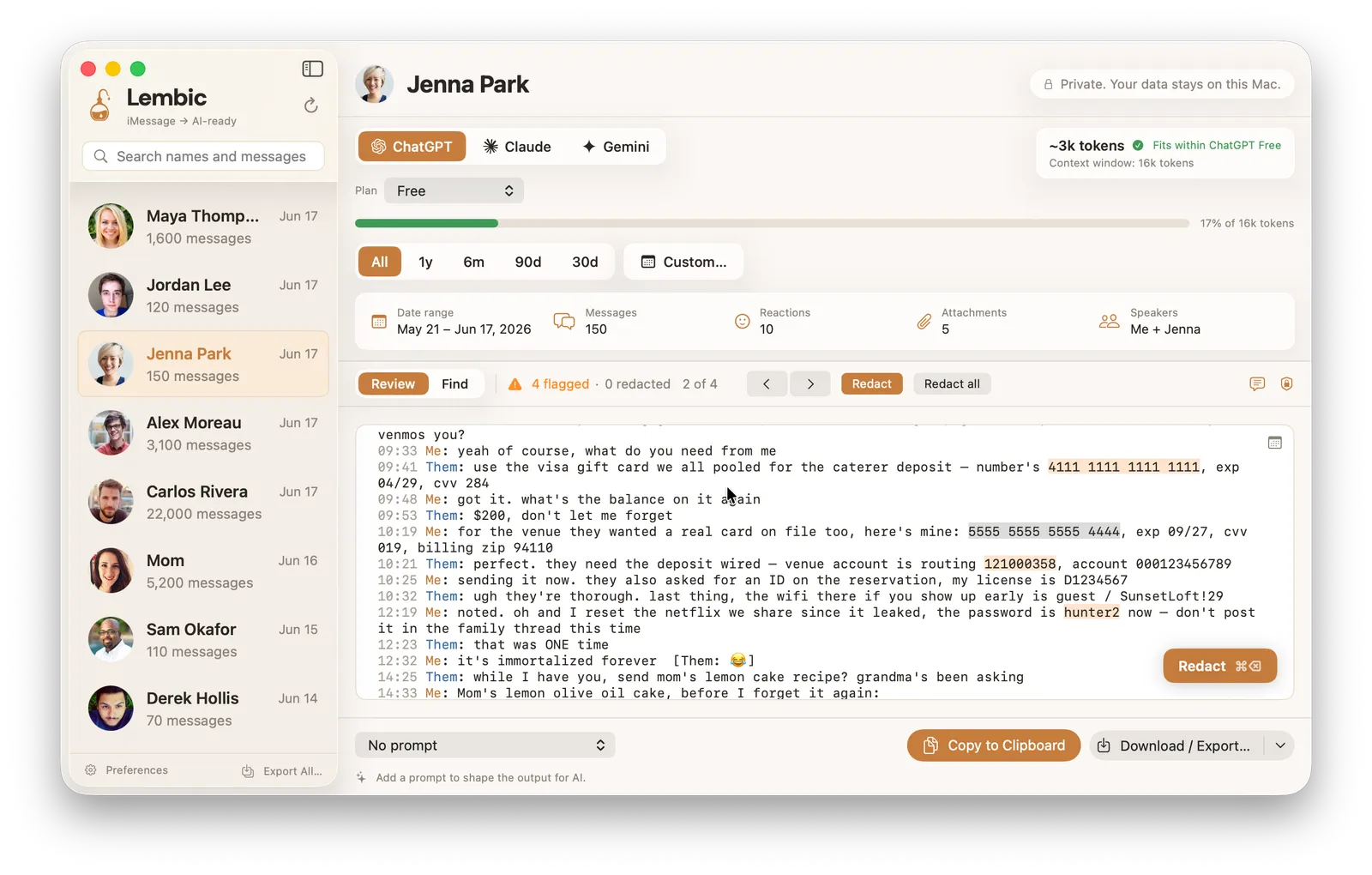
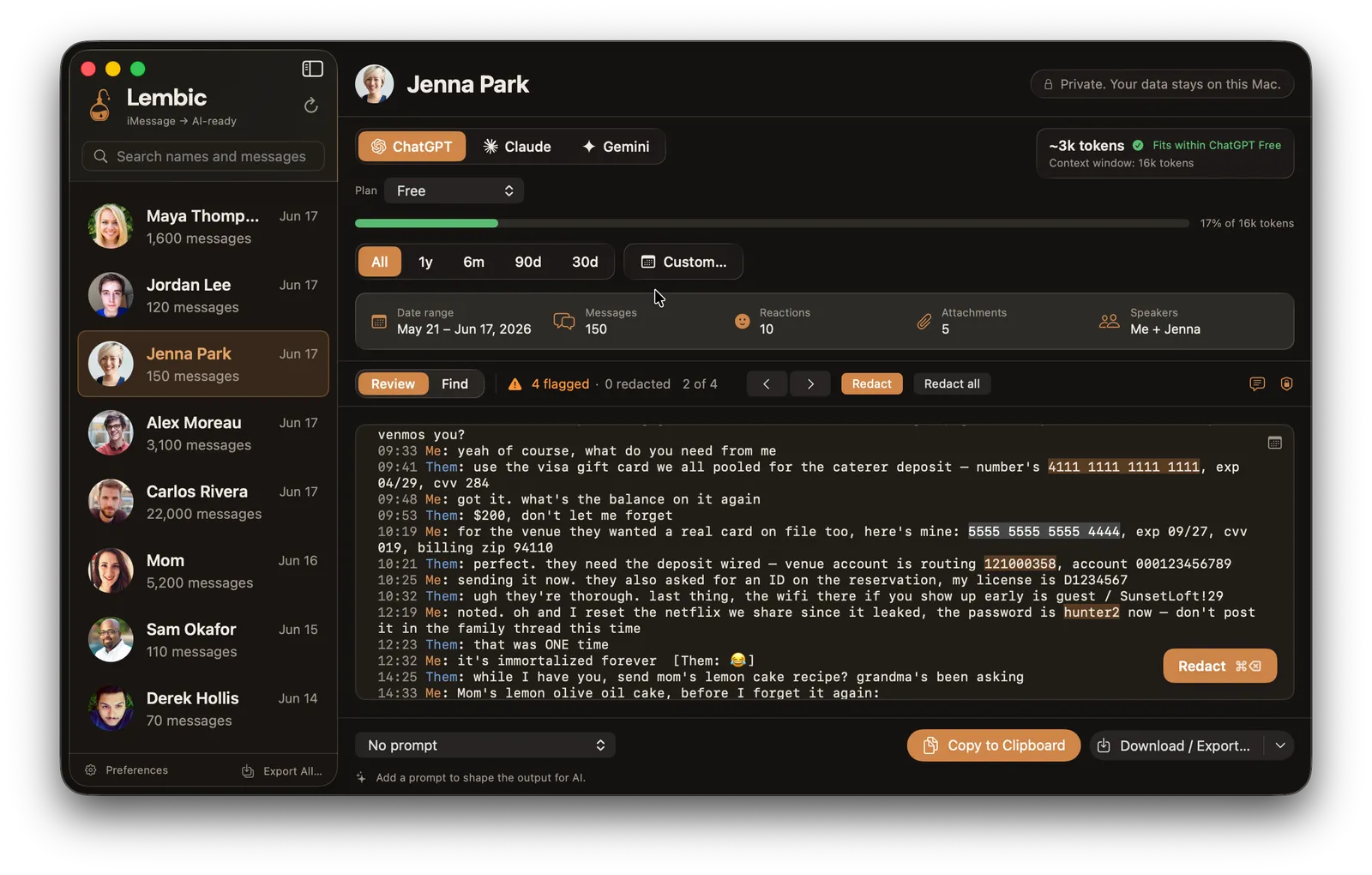
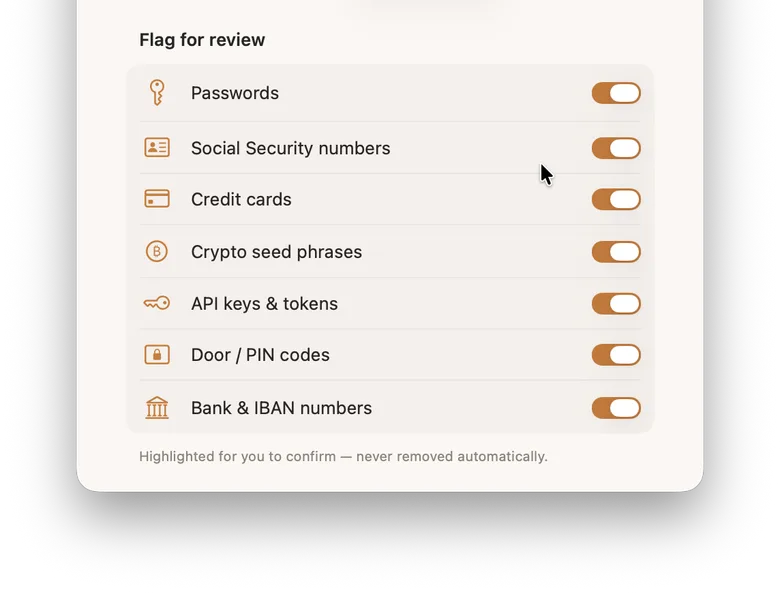
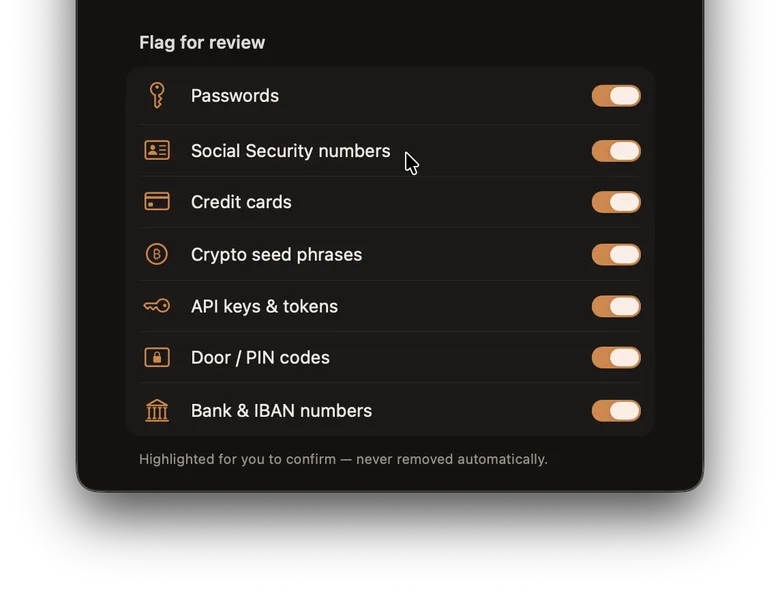
The first job is finding the secrets you would miss. As you review a conversation, Lembic highlights the high-harm items in amber and leaves them in place for you to confirm. Nothing is removed on its own. This “flag for review” pass is on by default, and it looks for the things that actually cause damage if they leak:
- Passwords, where the message makes clear it is one.
- US Social Security numbers.
- Credit and debit card numbers.
- Crypto seed phrases.
- API keys and access tokens.
- Door, garage, and safe codes.
- Bank account and routing numbers.
You see each one in context and decide. Confirm it, and it collapses to a plain [redacted] tag.
You decide what gets removed
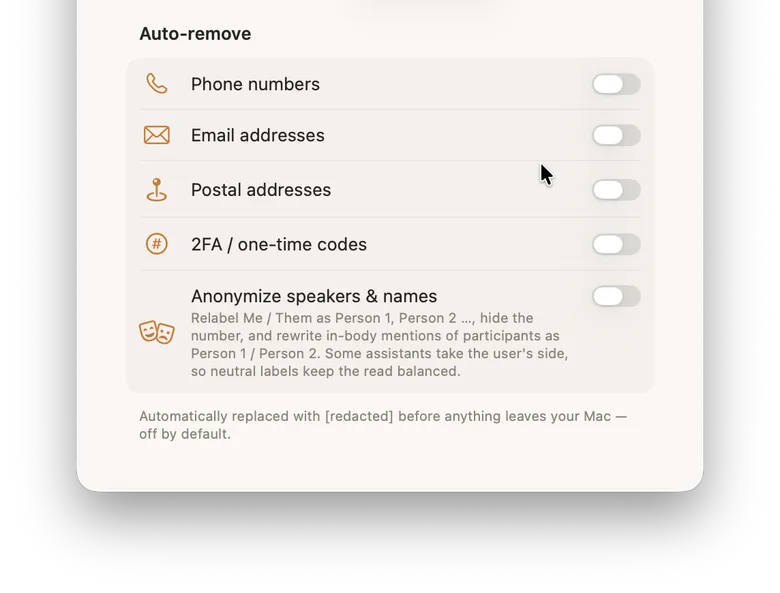
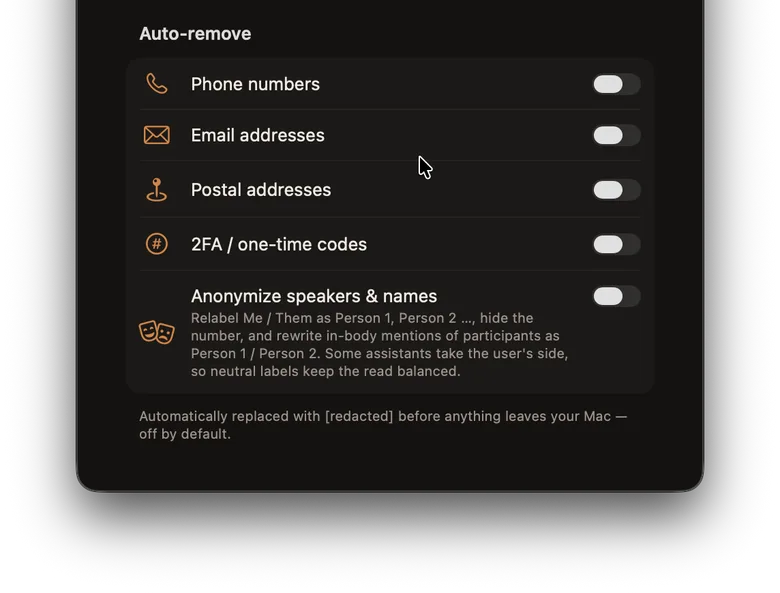
Flagging is one mode. The other is auto-remove, and it is off until you turn it on. Auto-remove handles the ordinary personal data that shows up constantly, the stuff that is tedious to clear by hand. Switch on the categories you want, and Lembic replaces them with [redacted] before anything leaves your Mac:
- Phone numbers.
- Email addresses.
- Postal addresses.
- Two-factor and one-time codes.
The split is deliberate. High-harm secrets get flagged so you look at them. Ubiquitous data gets removed in bulk once you opt in. You are always the one who decides which categories are on.
It stops you before the export leaves your Mac
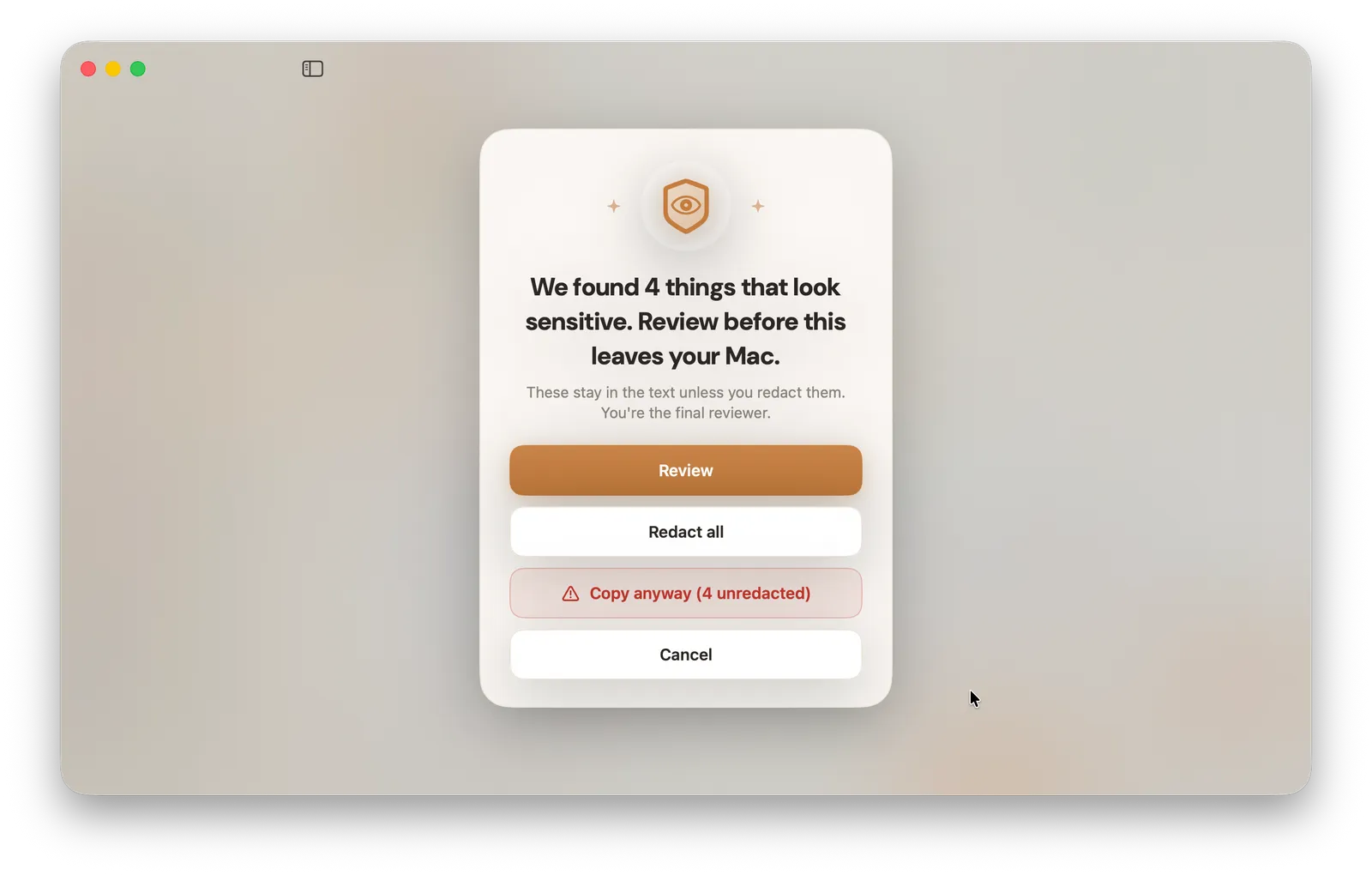
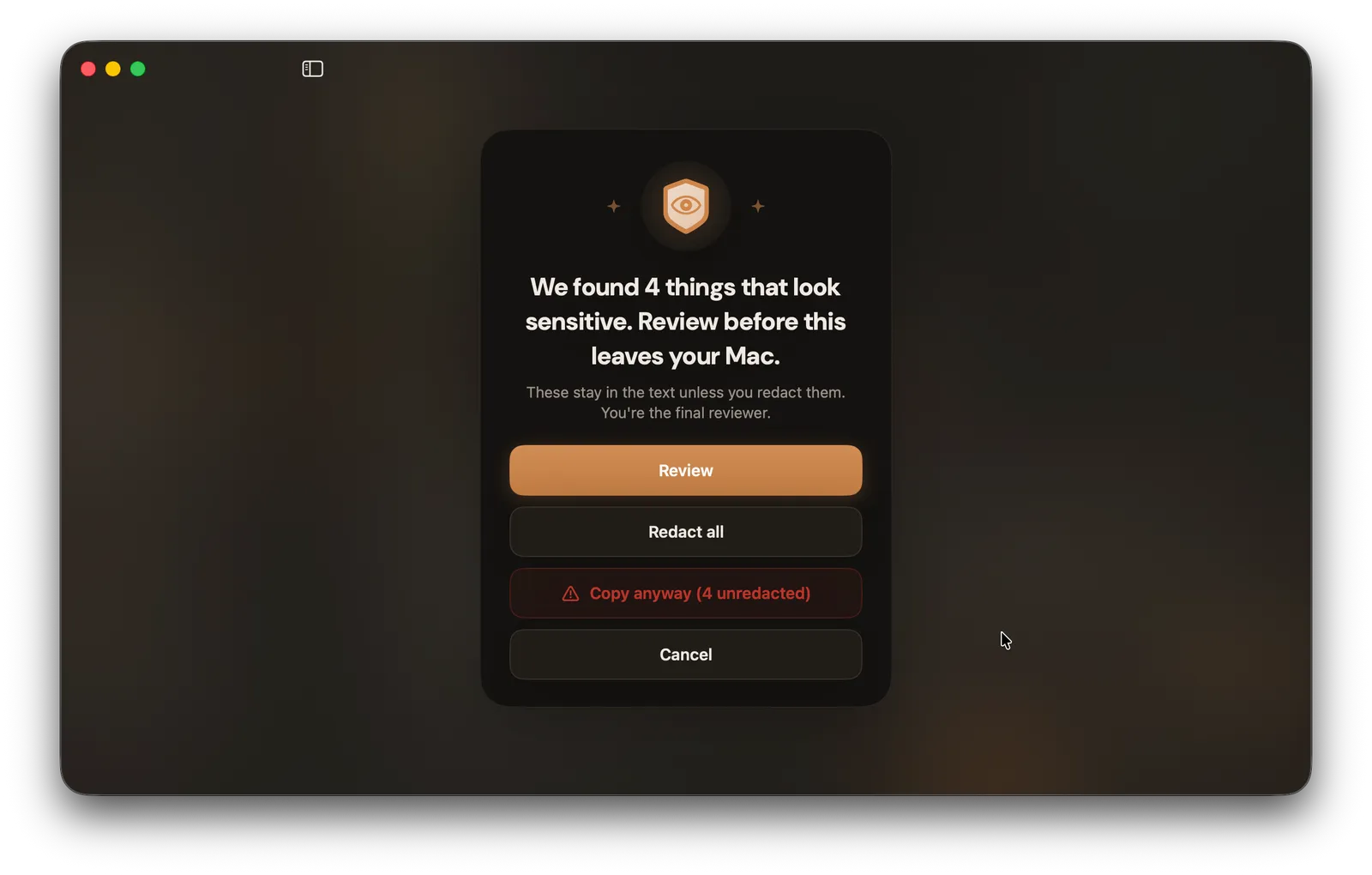
The last safeguard is a gate. If you go to copy or download a transcript while flagged secrets are still in it, Lembic stops and tells you first. You get a count of what is still in there and four choices: review them one by one, redact them all at once, go ahead anyway, or cancel. The point is that nothing sensitive leaves by accident, on the one step where it would actually leave.
Why the detection is more than pattern-matching
A fair worry: does this just grab anything that looks like a number and call it a secret? No. Where a value has a built-in check, like a card number or a routing number, Lembic validates it before flagging, so it does not light up every nine-digit string in your chat history. The whole thing runs on your Mac with no network calls, so the detection itself never sends your messages anywhere. And the engine is open source, so you do not have to take our word for any of it. You can read the code or compile it yourself.
The safe way to put your texts into ChatGPT
Here is the whole flow, start to finish.
- Export your conversation in Lembic. Open the app on your Mac, pick the conversation by contact name, and build the transcript. It all happens locally, so the raw history never touches a server.
- Review what it flagged. Step through the amber highlights, the passwords, card numbers, and account numbers Lembic found, and confirm each one.
- Redact them, or turn on auto-remove. Clear the flagged items with a click, or switch on auto-remove for whole categories like phone numbers, emails, addresses, and one-time codes.
- Confirm at the export gate. If anything flagged is still in the text when you copy or download, Lembic warns you before it leaves.
- Then paste into ChatGPT or Claude. Now the transcript is clean, so paste it into your own AI account and ask your question.
For the export step itself, our full guide to exporting an iMessage conversation covers every method, including the ones that have nothing to do with us.
What redaction can’t catch
Now the honest part, because this matters more than any feature. Redaction is a best-effort aid, not a guarantee. It will miss things.
It cannot catch a format it was not built for, or a secret buried in ordinary prose (“the account is the usual one, you know it”). It deliberately does not flag every phone number, email, name, and address on its own. If it lit up the most common data in every thread, the one password that actually matters would drown in the noise. That ordinary data is what opt-in auto-remove is for, when you choose to use it.
So you are the final reviewer. Lembic narrows the haystack and points at the needles it can recognize, but the last read is yours, and what you choose to paste is your call. And once a transcript reaches ChatGPT, Claude, or any other AI, what that service does with it is governed by their policy, not ours. We can get it clean before it leaves your Mac. We cannot follow it after.
One more honest note. If you are keeping an archive just for yourself, with no AI in the picture, you do not need to redact anything at all. Redaction matters at one moment, the moment a transcript is about to leave your hands.
Frequently asked questions
Is it safe to put my text messages into ChatGPT? It can be, as long as you remove the sensitive parts first. A raw export of a long thread usually contains passwords, codes, and account numbers you have forgotten are in there. Clean those out before you paste, and treat whatever is left as something the service could store.
Does ChatGPT save what I paste? Yes. What you send is stored, and with chat history on it can be used to improve the model. Even with training off, chats are typically kept for a window before deletion and can be reviewed by staff. Other AI tools have their own policies worth checking.
Does Lembic’s redaction catch everything? No, and we will not claim it does. It is a best-effort aid that flags and removes the secrets it can recognize. It will miss unusual formats and anything hidden in ordinary wording. You are always the final reviewer.
Does my message data leave my Mac? Not through Lembic. Reading your messages, building the transcript, and running the redaction all happen on your machine with no network calls. Your texts only go somewhere if you take the cleaned transcript to your own AI account.
Why are ordinary names and addresses not flagged automatically? On purpose. If Lembic highlighted every phone number, email, and name, the one password that matters would get lost in the noise. Those common details are handled by auto-remove, which you switch on per category when you want it.
Is the redaction engine open source? Yes. The detection engine is open source, so you can read exactly how it works or compile it yourself rather than trust a claim.
Lembic is a one-time purchase, no subscription. If you want to make sense of your messages with an AI without the sensitive parts going along for the ride, download Lembic for your Mac. Redaction will do a lot of the work for you. The last look will still be yours, and that is how it should be.